Pet Monitor
The health monitor for your pet
The health monitor for your pet
Something not working, or do you have a suggestion? Write to me – I answer personally.
In the app, under Settings → Help & Contact, there is a button that prepares an email with the technical details. That helps me a great deal in narrowing things down – please use that route if you can.
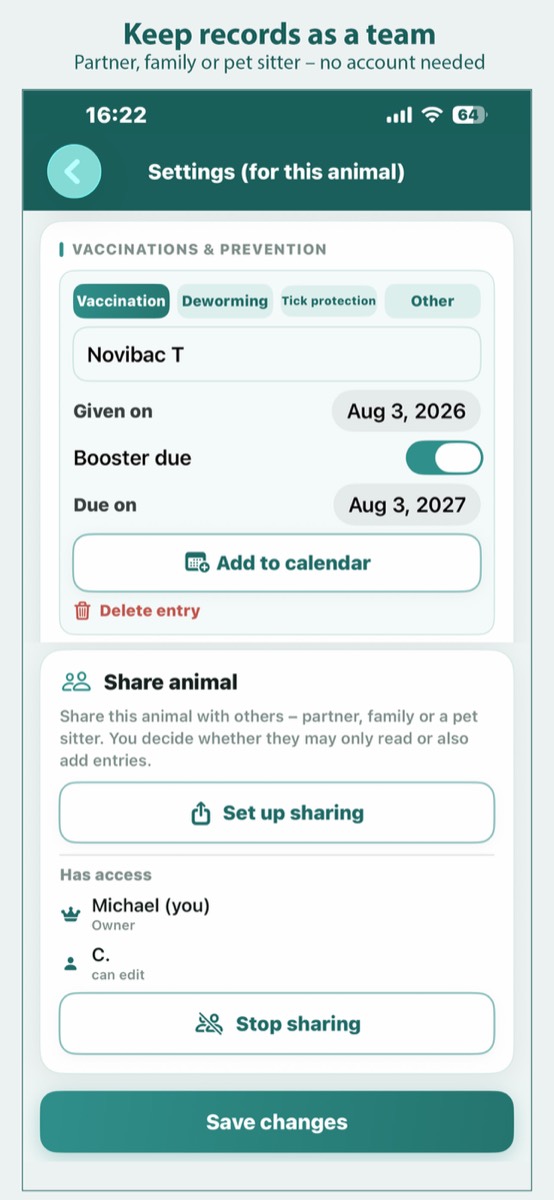
Yes. Open the animal's settings and choose Share animal. The invited person only needs their own Apple ID – no account with me, no sign-up. You decide whether they may only read along or also make entries, and you can end the share at any time.
In the app settings, check whether Sync across devices is switched on – on both devices. You will also find the Diagnostics button there: it compares the state on the device with the one in iCloud and names the reason in plain words. Send me that text and I will see straight away what is wrong.
It stays on your device and – if you switch it on – in your own iCloud. There are no accounts, no servers of mine and no analysis. If you share an animal, it goes straight to the invited Apple ID. I have no access to it. The details are in the privacy policy.
In the animal's settings under Export for this animal: as a PDF report to print, or as an Excel file with one worksheet per animal. The home screen offers the same for all animals together.
Here you can download a sample report as a PDF (2 pages, 33 KB).
No. Pet Monitor costs once, with no advertising and no extra purchases. The purchase covers iPhone and iPad.
Individual entries, photos and whole animals can be deleted in the app. Uninstalling removes the local data. If you have shared an animal, end the share first – otherwise the invited people keep their copy.
Click or tap an image to open it large.
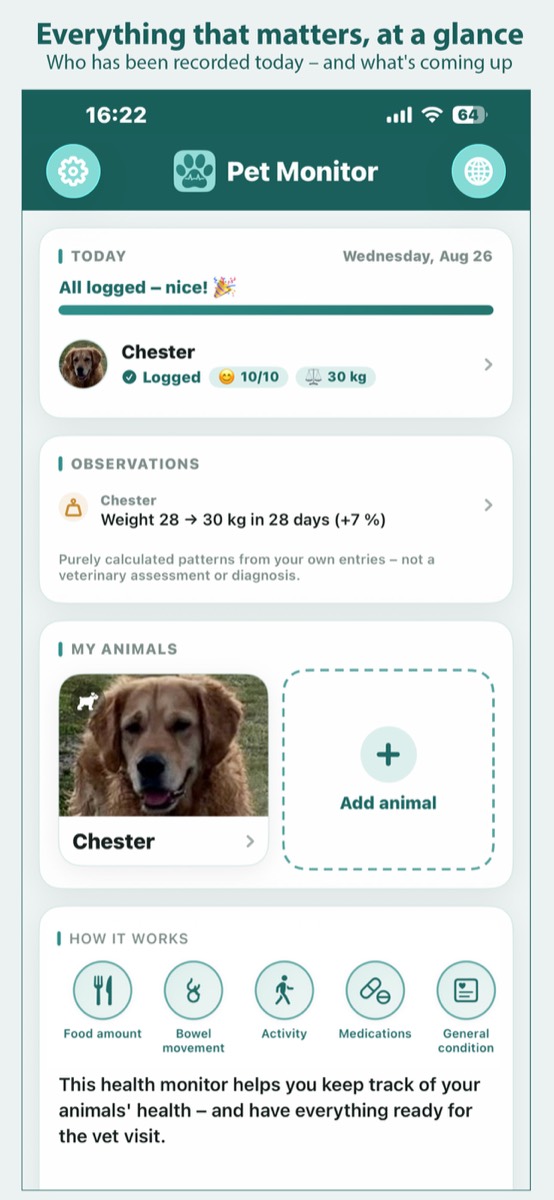
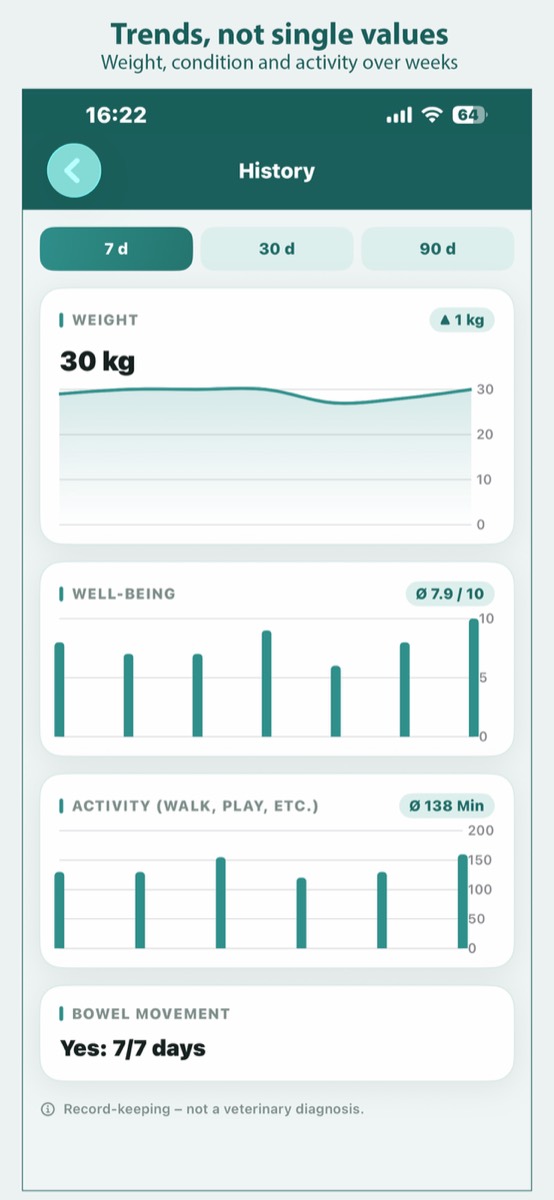
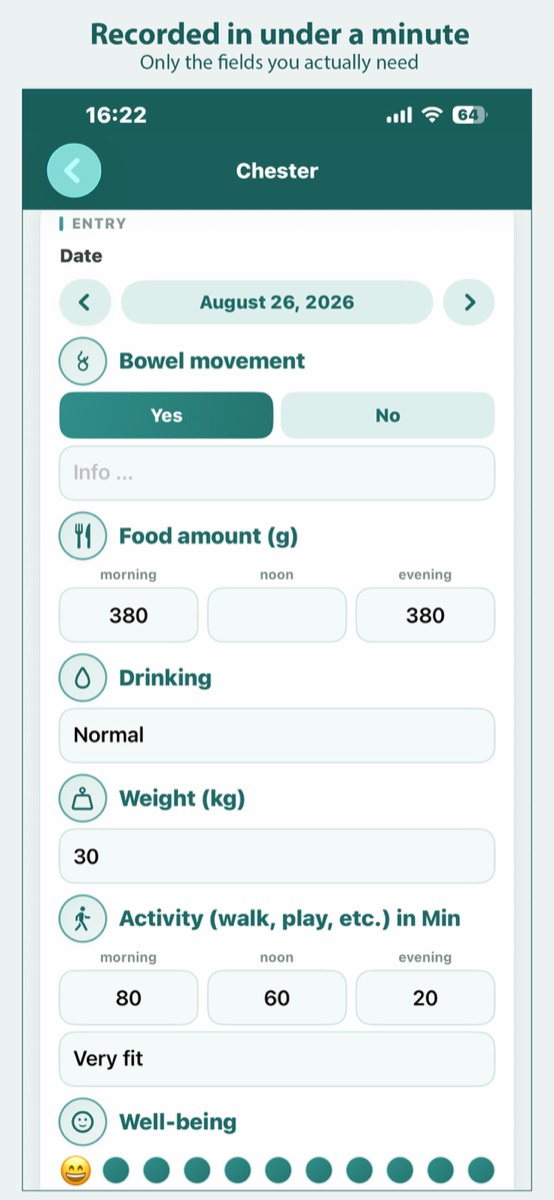
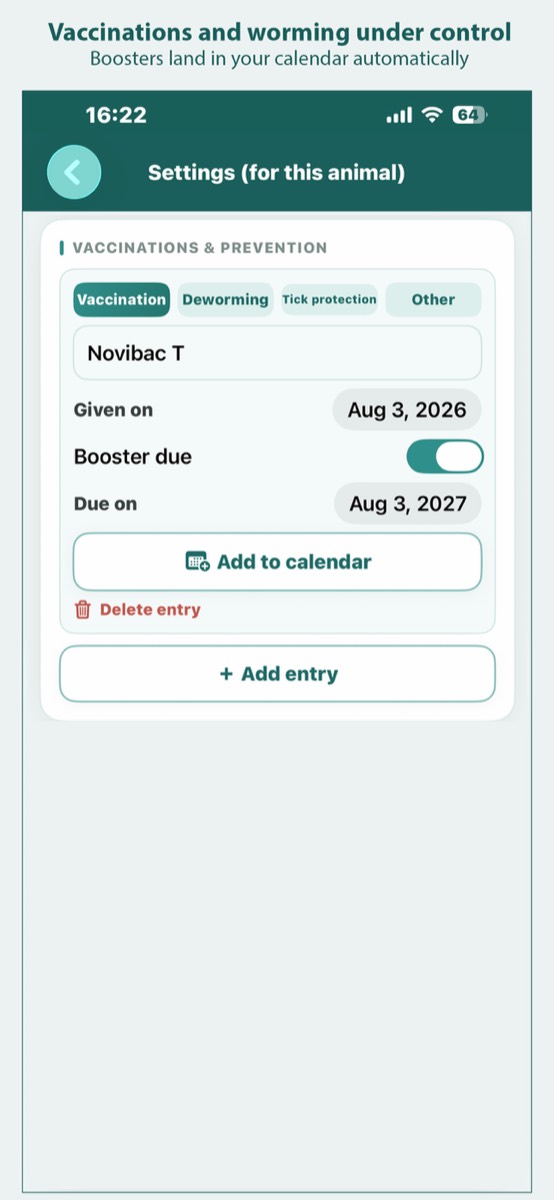
Pet Monitor makes no diagnoses and does not judge your entries. The app helps you keep records – the interpretation belongs in the vet's practice. If you notice signs of illness, please consult a vet.